
Security Reimagined
SmartLife H101
Hotel Room Access
Guest-room access control for hotels and serviced properties.
RFID Card Access
Opens with the RFID room card issued at reception.
Centrally Managed
Cards are issued, changed and cancelled from the SmartLife hotel system.
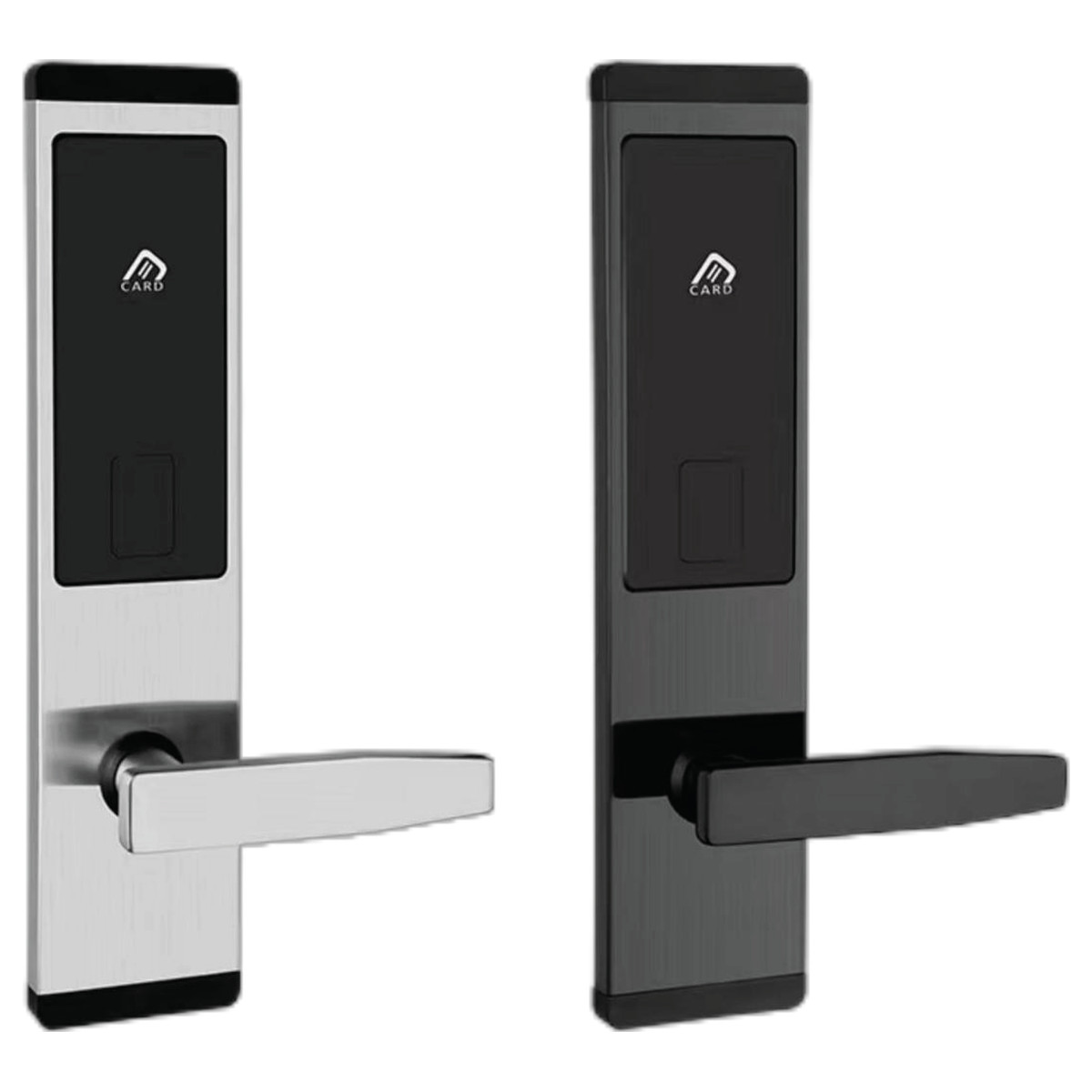
Stainless Steel Body
201 Stainless Steel panel, electroplating finish.
Finish Options
Available in silver or black.
Professional Fitting
Installed by SmartLife’s own technicians as an optional service.
About SmartLife H101
RFID hotel door lock in 201 stainless steel, electroplated; silver or black.
In detail
The SmartLife H101 is an RFID hotel door lock for guest rooms, part of the SmartLife hotel line (H101–H118). The panel is 201 stainless steel with an electroplated finish, 310 × 72 × 13 mm, available in silver and black. Guest cards are issued and managed centrally with the SmartLife hotel-management software, card encoder and gateway.
Professional installation by SmartLife's own team is available as an optional service. Call 01825-777111 for installation pricing, volume pricing and a site survey.
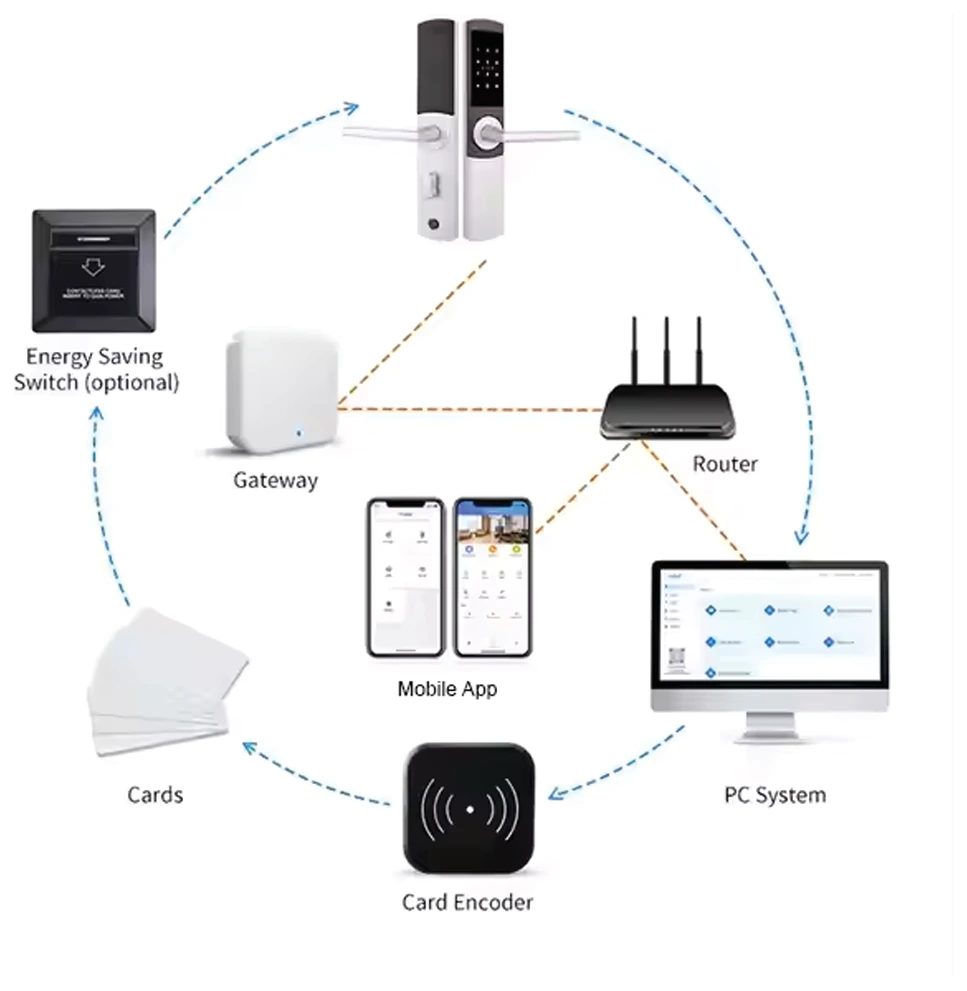
Part of a hotel access system
SmartLife supplies this lock as part of a hotel access management solution for centralized and distributed hotels. The brochure describes the locks as working with a web-side management system and a tool app that cover room, staff and hardware control and check-in.
The lock connects to the centralized system through the SmartLife gateway, and the hotel creates, edits and cancels cards on the card encoder. The lock itself is ordered on this page; the rest of the system is listed below under the setup section.
Product overview
SmartLife H101 is a hotel door lock for guest-room access in hospitality properties. It uses hotel-issued RFID cards for room access.
Key features
- Hotel guest-room access control
- RFID card access
- 201 Stainless Steel body
- Electroplating finish
- Panel size: 310 × 72 × 13 mm
- Finish colours: Silver, Black
How to use
For customers
- Use the RFID card issued by your hotel at your room’s card reader for access.
- At check-in, ask reception to demonstrate how to open the door from inside and secure it when entering or leaving.
For administrators
- Guest cards are issued and managed through the SmartLife hotel-management system. Arrange model-specific setup and a staff handover with SmartLife.
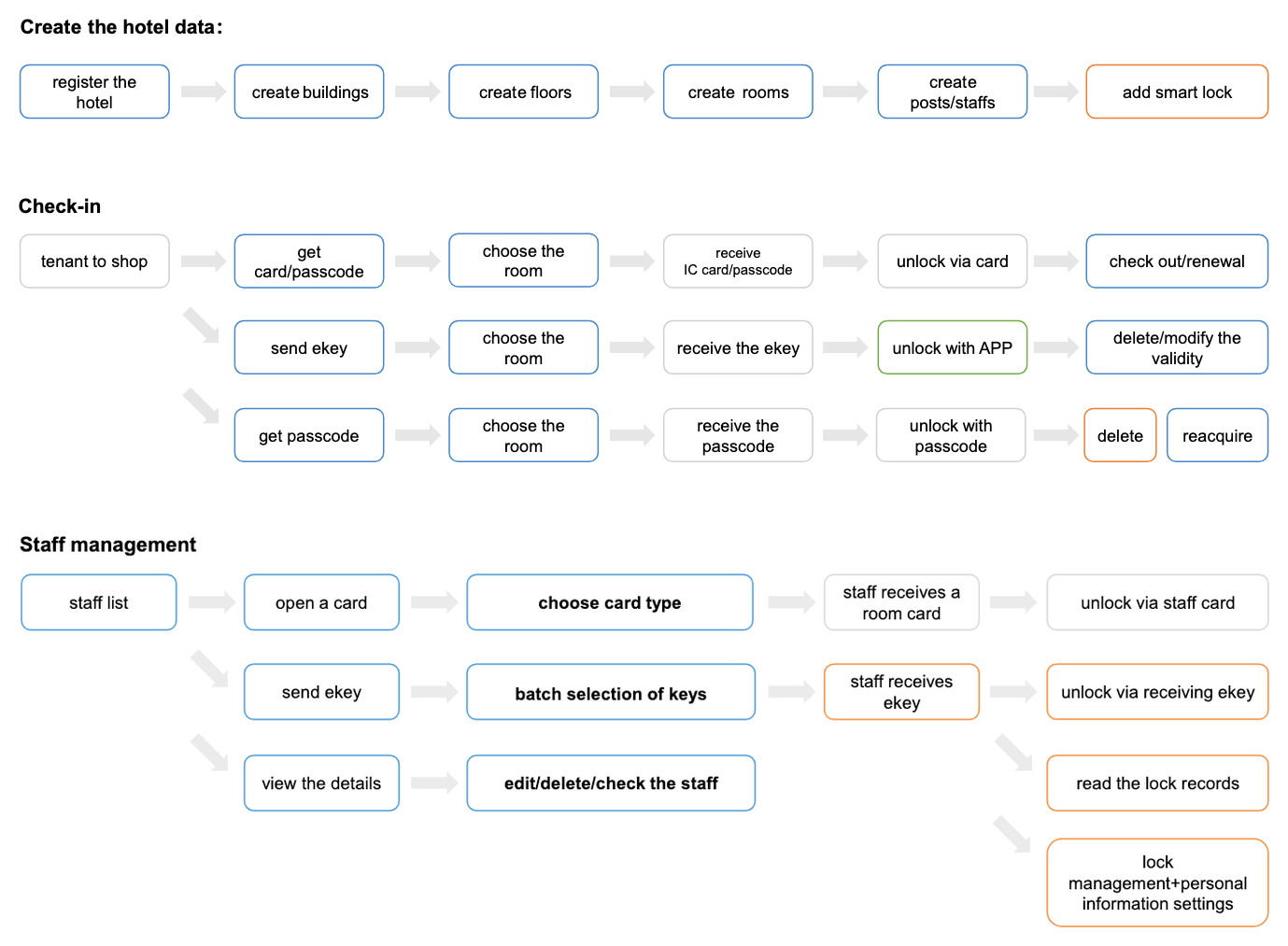
How the hotel system works
Hotel staff set the property up and issue a card, an ekey or a passcode for the room. The guest then presents that credential at the lock, and the management system keeps the check-out, renewal and staff permissions in one place.
Scroll the diagram sideways to see the whole flow.
What you need for a complete hotel-lock setup
This lock is one part of a hotel access system. What else you need depends on how your property is set up, so confirm your configuration with SmartLife before ordering. This section is written for hotel owners and staff — a guest only needs the room card issued at reception.
- SoftwareHotel management system and app
The brochure describes these locks as working with a web-side management system and a tool app covering room, staff and hardware control and check-in. Rooms, staff and guest credentials are set up here.
Not sold on this site — arrange the system and a staff handover with SmartLife.
A USB encoder that programmes lock cards, with read and write capabilities. The brochure states that hotels create, edit and cancel cards using the card encoder.
Needed wherever staff issue, change or cancel room cards.
The brochure states that SmartLife hotel locks work with the gateway device to be connected to the centralized system. Listed range is 15 m (49 ft), with up to 20 devices per gateway.
Needed to connect locks to the centralized system; how many depends on your layout and the listed range and device limit.
The IC cards guests and staff present at the lock. Branded and non-branded cards are available.
Needed in the quantity your property issues to guests and staff.
A room socket that activates room power when the door-lock card is inserted. The brochure’s system diagram labels it as optional.
Optional — for rooms where the power should switch on with the card.
Each linked item is a separate product with its own page, price and stock, and is sold separately from the lock — ordering this lock does not add any of them to your cart. For the exact list your property needs, talk to SmartLife.
Technical specifications
| Product Type | Hotel Door Lock |
|---|---|
| Material | 201 Stainless Steel |
| Finishing | Electroplating |
| Size | 310 × 72 × 13 mm |
Installation and compatibility
For customers
- Ask SmartLife to assess your door before ordering installation.
For administrators
- Confirm the door preparation, lock body and required hotel-system components for this model before installation.
FAQs
Which card should I use?
Use the RFID room card issued by your hotel. Ask reception to check the card if you cannot access your room.
What should I do if my card does not open the door?
Contact reception to check your assigned room and card. Ask hotel staff to arrange assistance if access cannot be restored.
How do I learn the locking and emergency-access procedure?
Ask reception for a demonstration of your installed lock and the hotel’s emergency-access procedure.
Who handles maintenance?
Guests should report access problems to reception. Hotel staff can contact SmartLife for model-specific maintenance guidance.
After-sales coverage
Exactly what stands behind this product — stated before you buy.
You may also like
View All Smart Door Locks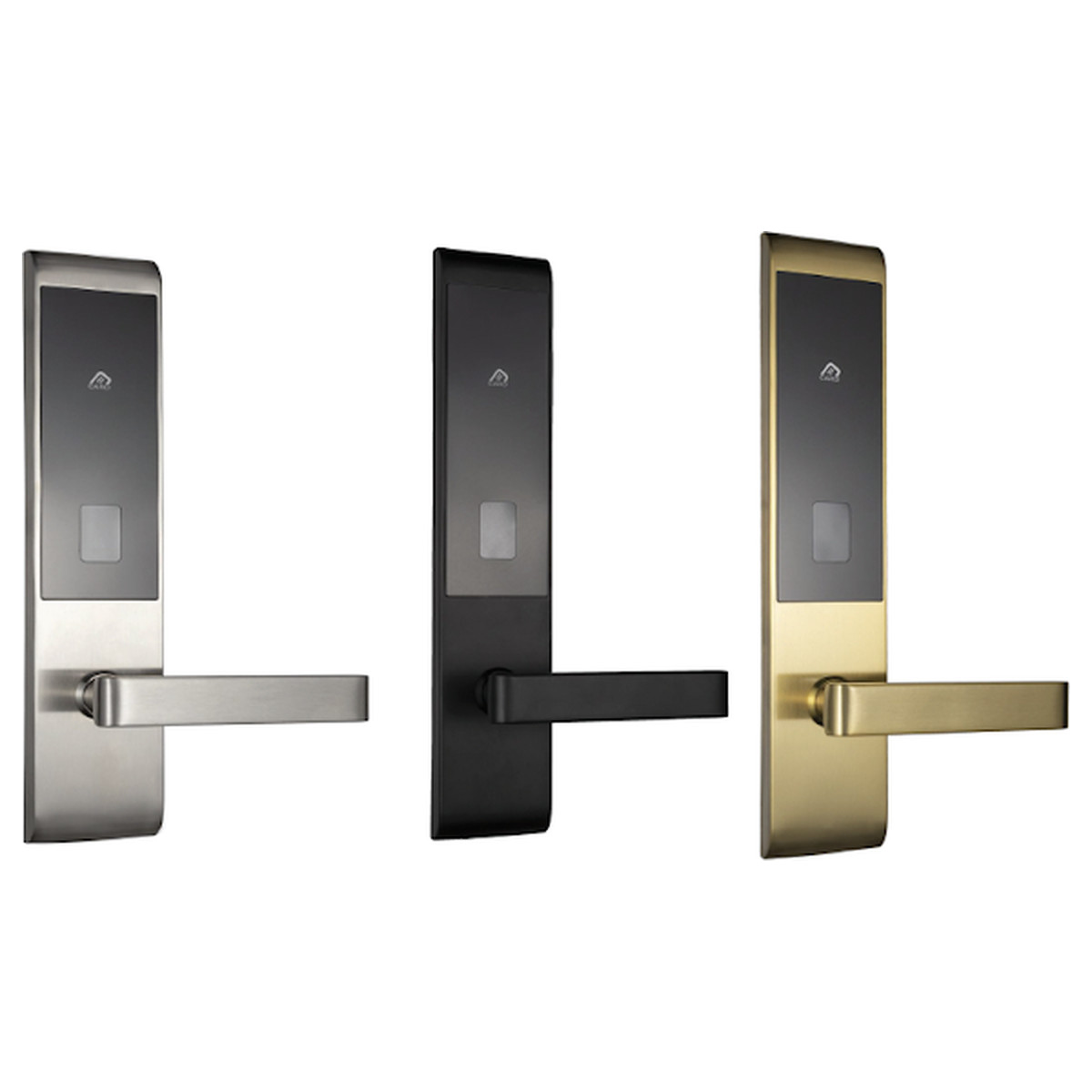
SmartLife H113
Hotel guest rooms · RFID card access · 304 Stainless Steel
SmartLife H118
Hotel guest rooms · RFID card access · Aluminum Alloy
SmartLife H114
Hotel guest rooms · RFID card access · 304 Stainless Steel
SmartLife H104
Hotel guest rooms · RFID card access · Carbon Steel Plate
Have a Project in Mind?
Whether it’s a single smart home or a commercial complex security overhaul, our experts are here to design the perfect ecosystem for you.